The point of sale that speaks dollars and riel.
Sell fast at the counter, give the right change every time, and see your whole shop from your phone. For retail shops and cafes.
- Works on PC, tablet and phone
- No special hardware needed
- Free during early access
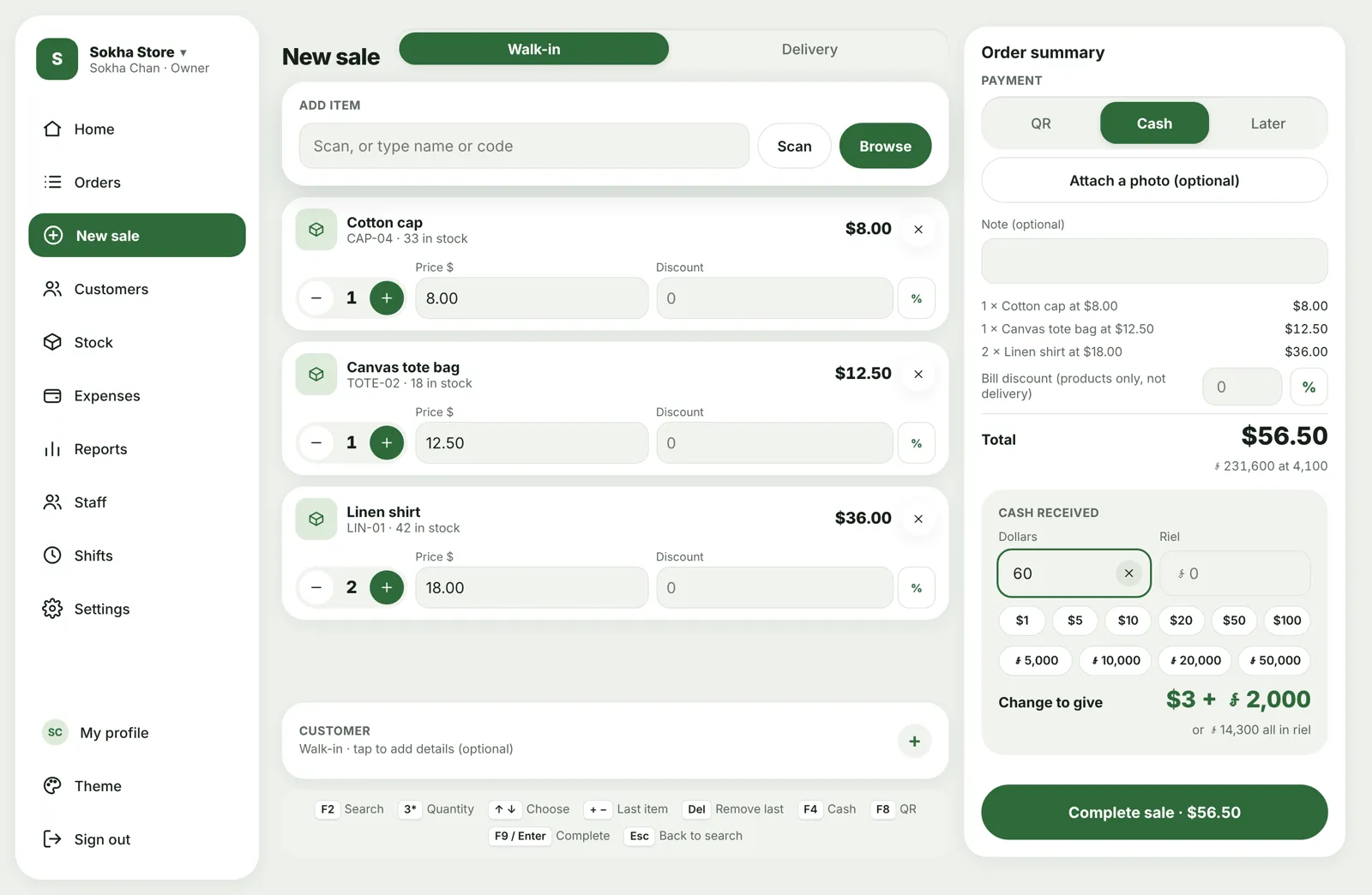
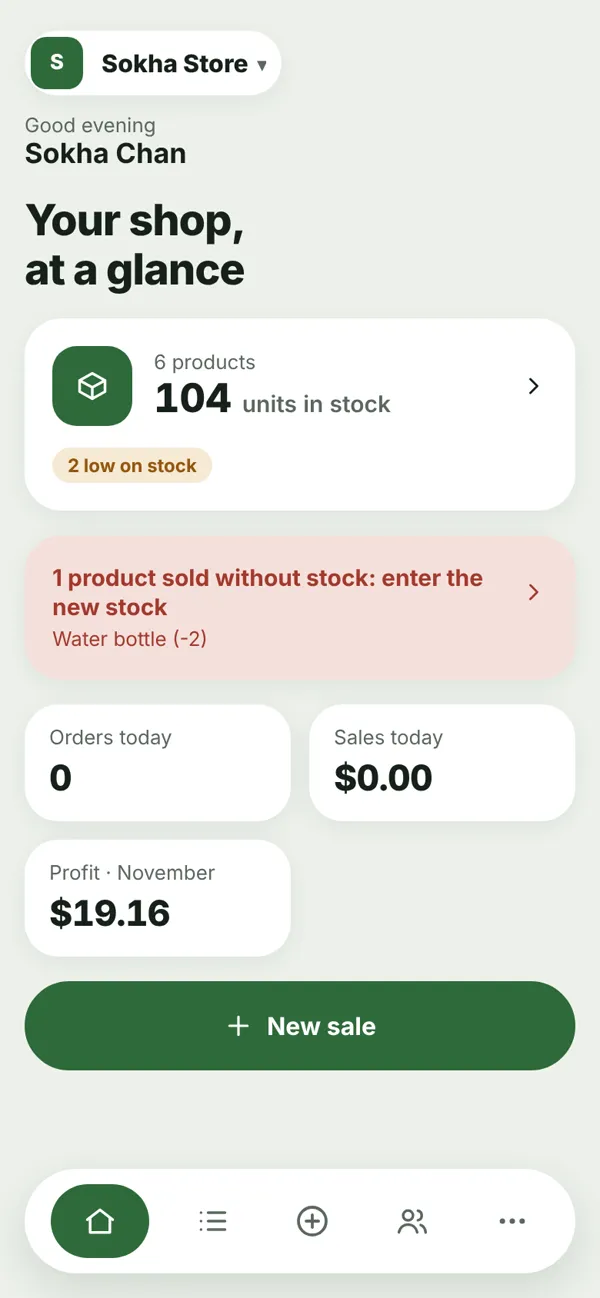
A sale in seconds
Scan a barcode, type a name or code, or tap Browse. Type 3* before a product to add three. On a computer, the keyboard does it all: F4 cash, F8 QR, Enter to finish.
- Walk-in and delivery orders, pay now or later
- Discounts per item or on the whole bill, with a limit for sellers
- Receipts on 80 mm, 58 mm or A4, with your own logo, or share them as a picture
- Sell even when the stock shows 0: the owner is told to enter the new stock
Dollars, riel, or both. The change is always right.
Customers can pay in dollars, riel or a mix. MyShell POS works out the change in whole dollars plus riel, rounded to the nearest note you actually have, and shows the all-riel option too.
- Your own exchange rate (e.g. 4,100)
- Tap the notes the customer hands over: $20, ៛50,000…
- ABA / KHQR payments with a photo of the transfer
Know exactly what should be in the drawer
Each seller opens a shift with the starting cash and closes it with a blind count. The app compares it with what should be there, in dollars and in riel.
- Short or over? The seller explains, and the owner checks and approves
- Cash in, cash out and paying delivery drivers from the drawer
- Limits on cash-outs, with approval from the owner
- Each seller signs in with their own PIN
| Should be | Counted | |
|---|---|---|
| Dollars | $588.00 | $588.00 |
| Riel | ៛100,000 | ៛99,900 |
Your shop, in your pocket
Connect Telegram once and get what matters, where you already are. Approve a cash-out with one tap, wherever you are.
- Shift opened and closed, with the drawer count
- Every sale in your sales group (optional)
- A product sold out of stock
- A daily summary every evening
Dara at Front counter
$35.00 · Supplies · Shopping bags
Water bottle was sold, but the app shows −2 left. Please enter the new stock.
Cash $410.00 · QR $163.50
See your real profit, not a guess
Stock goes down with every sale. Add stock with a simple cost per item, or spread import costs like shipping and customs over a whole shipment.
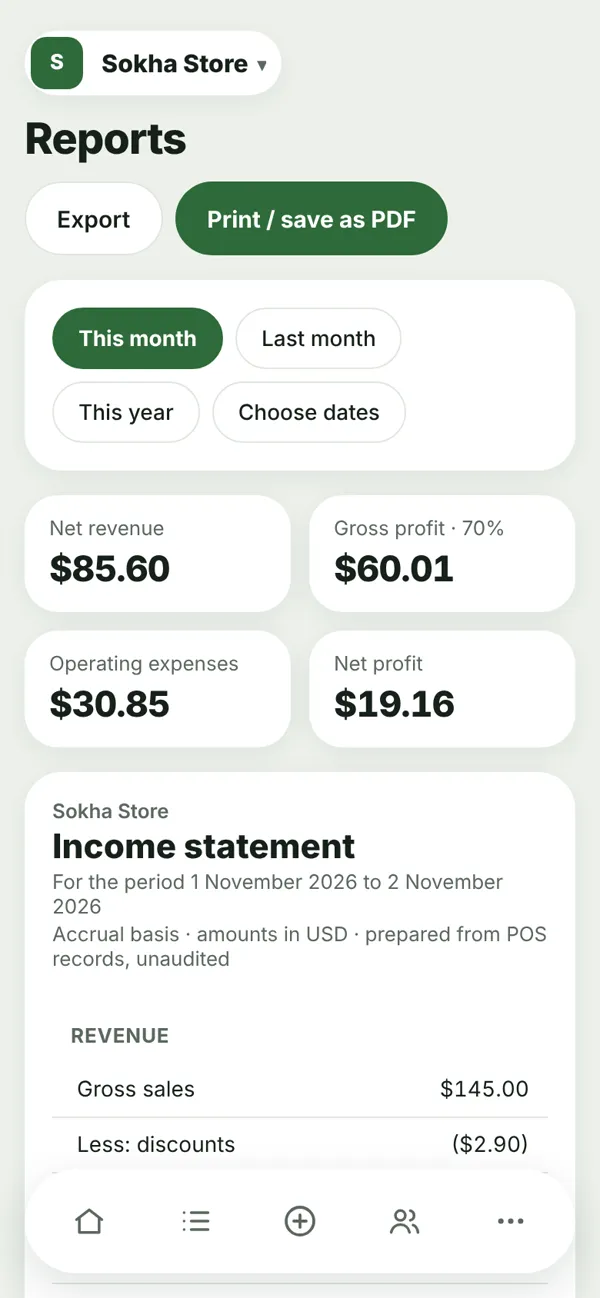
- A proper income statement: sales, costs, expenses, profit
- Expenses with photos of receipts, VAT kept apart
- Low-stock warnings, giveaways and damaged items tracked
- Export to a spreadsheet or save as PDF
Built for drinks, too
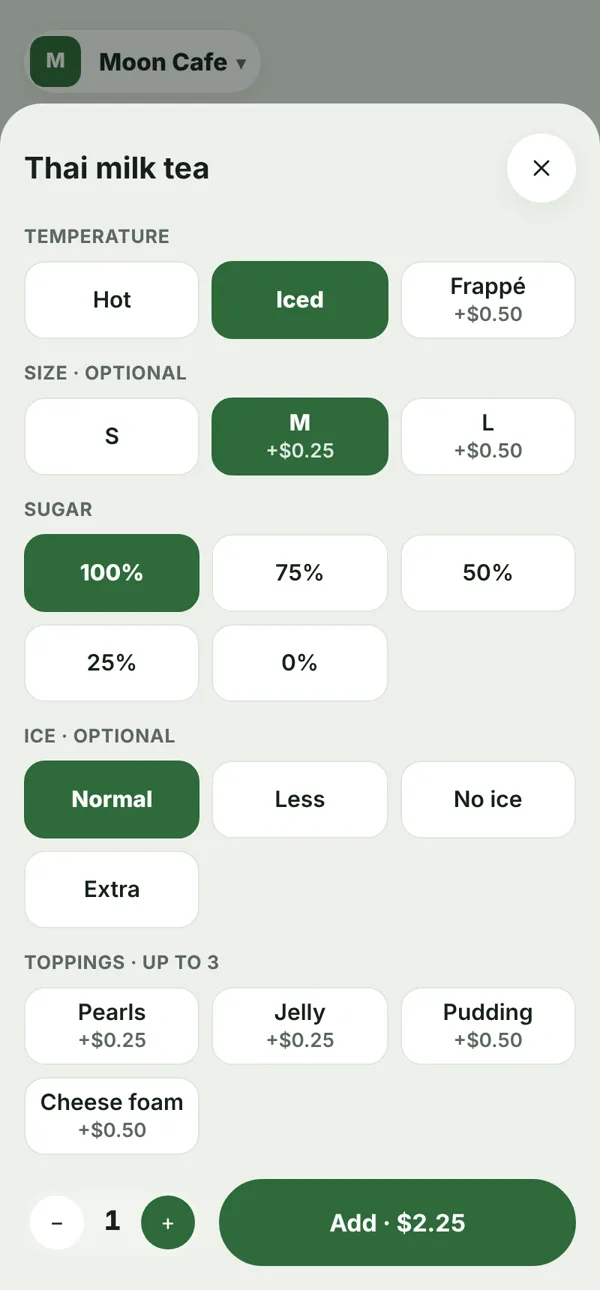
Pick Cafe when you sign up and the app changes for you: a menu of drinks, no stock counting, and an options window that adds the price as you tap.
- Hot, iced or frappé, size, sugar, ice, milk, extras and toppings
- Change every option and price yourself
- Daily queue numbers and a name to call
- Dine-in or takeaway, printed on the receipt
And everything a small business needs
Keeps selling offline
If the internet drops, the store PC keeps selling and sends the sales when it's back.
Staff and roles
Owner, admin and seller. Sellers see only what they need and sign in with a PIN.
Delivery
Delivery companies and rates by area, free delivery rules and what you owe each driver.
Customers and orders
Find any sale by receipt code, name or phone. Returns and refunds included.
Several businesses
Run more than one shop from one login and switch in a tap.
Looks the way you like
Nine light and dark themes, smooth animations and sounds, all optional.
How to start
- Get an invite codeMyShell POS is in early access. Message us and we'll send you a code.
- Sign upAt app.myshellpos.com with your email. Choose Retail or Cafe.
- Add products and staffYour products or drinks, your sellers and their PINs.
- Start sellingOn the shop computer, a tablet or any phone. Install it like an app.
Free during early access
We're opening MyShell POS to a small group of shops and cafes first. Use it free, tell us what works and what doesn't, and help shape it.
Questions
Do I need special hardware?
No. It runs in the browser on any computer, tablet or phone. A USB barcode scanner and an 80 mm or 58 mm receipt printer work if you have them, but they're optional.
What if the internet goes down?
A computer set up as a store counter keeps selling without internet. The sales are saved on the computer and sent automatically when the internet is back.
Can I use it for a cafe?
Yes. Choose Cafe when you sign up to get a drinks menu with options (hot or iced, size, sugar…), queue numbers and dine-in or takeaway.
Is my data private?
Each business only sees its own data, and staff only see what their role allows. Your sales are stored on secure cloud servers, not only on one computer.
Which languages?
The app is in English. Product names, receipts and notes can be written in Khmer.
How much does it cost?
It's free while MyShell POS is in early access. We'll tell you well in advance before any paid plans start.